
Best Home Energy Monitors UK [2026]: What Actually Works Here
How this guide was made: this is a research-based roundup, not a hands-on lab review. Picks are based on manufacturer specifications, verified UK owner reviews, independent published test results, price history and what UK buyers are actually choosing. More on the method.
![Illustrative photo for the guide “Best Home Energy Monitors UK [2026]: What Actually Works Here”](/images/blog-best-home-energy-monitors-uk.jpg)
Which home energy monitor actually works in the UK?
Smart-meter readers such as Loop and Hildebrand Glow suit most UK homes because they use your SMETS2 smart meter and need no wiring. Clamp monitors need an electrician at the consumer unit, and US-designed units like Sense and Emporia are a poor fit for UK supplies.
Search for a home energy monitor and you will quickly hit Sense and Emporia — two products that dominate the reviews because they dominate the American market. For a UK household the practical shortlist looks different, and it starts with something you may already have sitting on the kitchen worktop.
This comparison is drawn from published manufacturer documentation, UK smart metering guidance and retailer listings rather than from hands-on testing. Availability, feature tiers and subscription terms change, so confirm current UK availability on each manufacturer's own site before buying.
Start With the Display You Already Own
If you have a smart meter, you were given an in-home display, and it reports half-hourly consumption and an estimated cost for free. Before spending anything, read it for a week and note the overnight baseline — the figure when the house is supposedly idle. If that number surprises you, a monitor will earn its cost. If it is already low, the money is better spent on the appliances themselves.
That baseline check is the honest starting point, and our guide to reading your smart meter walks through it. A monitor is worth buying when the free data has raised a question it cannot answer.
The Three Types of Monitor Sold in the UK
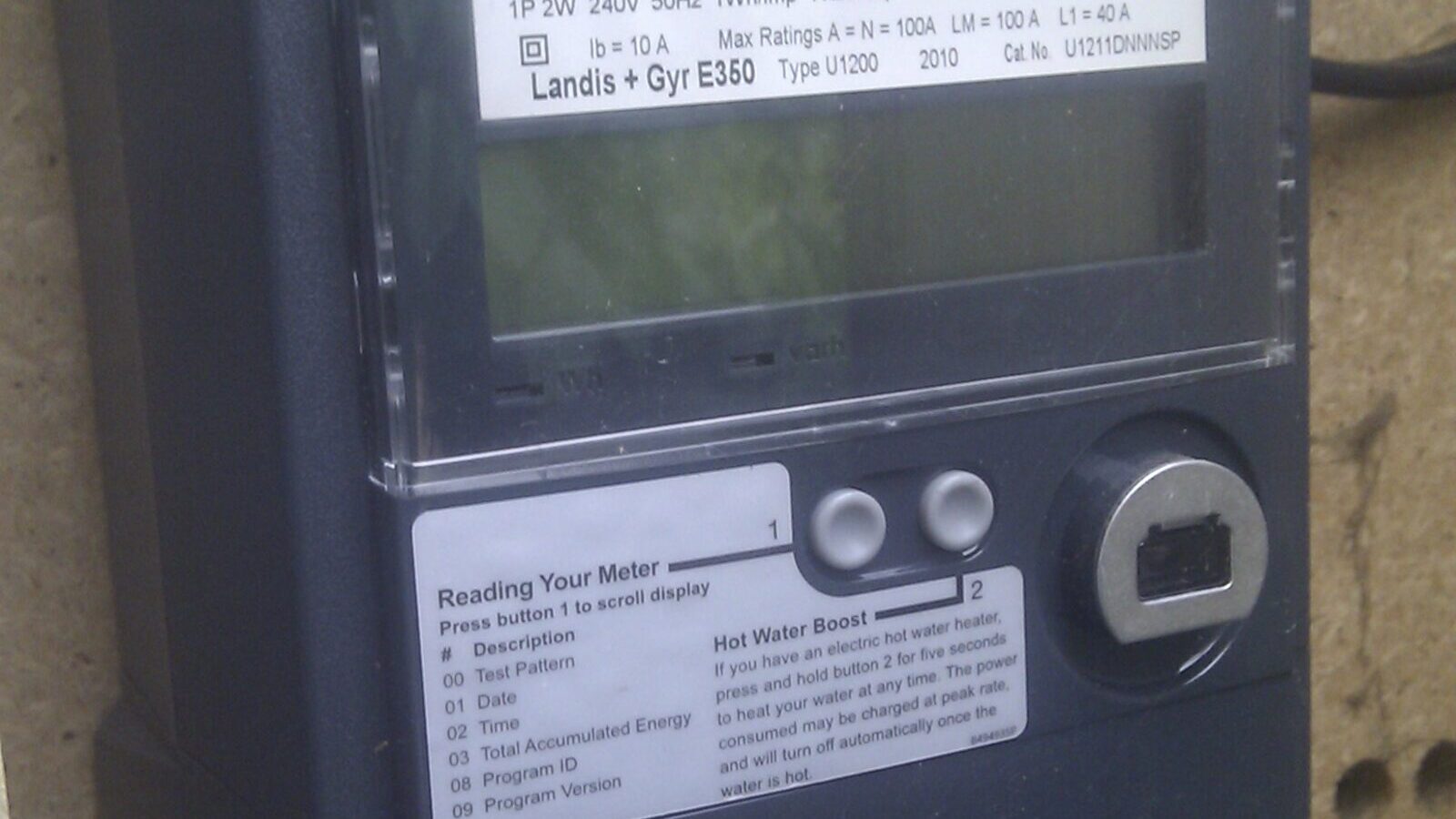
Strip away branding and there are three approaches, distinguished by where the measurement happens.
Smart meter readers pair with your SMETS2 meter's own wireless network and read the billing meter directly. No wiring, no electrician, and the numbers reconcile with your bill.
CT clamp monitors measure current in the wiring, either at the meter tails for a whole-home figure or with one sensor per circuit inside the consumer unit. More detail, more installation work.
Plug-in meters sit between a socket and one appliance. Cheap, precise, and limited to whatever has a plug — our plug-in energy meters guide covers that category.
Smart Meter Readers: The Default UK Option
This category exists because of the UK smart metering programme, which is why it has no direct American equivalent. Loop and Hildebrand Glow are the two names UK buyers meet most often. Both pair with the meter as a consumer access device, both need only a plug socket and broadband, and both then layer their own analysis on top of the meter's data.
The advantages are practical rather than technical. A renter can use one without asking a landlord. A cautious owner can start collecting data the same afternoon they unbox it. And because the source is the billing meter, the totals match the bill instead of drifting away from it as clamp readings sometimes do.
The limitation is equally clear: the meter reports the whole house as one figure. A smart-meter reader will show you that your baseline never drops below 300W; it will not tell you which circuit is responsible. It also depends on your meter communicating properly, which is not guaranteed on older first-generation units.
Get Your Free UK Home Energy Audit Checklist
Cut your energy bills with our UK home energy audit checklist, plus our best gadget deals — free.
CT Clamp Monitors and the Electrician Question
Clamp-based monitoring is the route to circuit-level detail, and in UK homes it is a job for a qualified electrician. The consumer unit may be live even with the main switch off, and Part P considerations apply to work in and around it. Budget for that visit as part of the purchase, not as an afterthought.
There is a second, less obvious constraint: space. A crowded older consumer unit may simply not have room for a dozen current transformers, and an electrician may reasonably decline to cram them in. Ask before ordering sensors.
What you get in return is data that is explicit rather than inferred. You know it is the immersion heater because the immersion heater's circuit is the one drawing power. If your question is specific — an unexplained baseline, an EV charger's real consumption, whether the workshop is worth its own tariff consideration — this is the only approach that answers it cleanly.
Sense and Emporia: Why UK Buyers Should Be Cautious
Both products are engineered around North American domestic supply, where a home is fed by a split-phase 120/240V arrangement and the breaker panel is laid out accordingly. UK homes run a single 230V phase into a consumer unit built to a different standard. That difference affects how sensors are specified and how the documentation reads, and it is the reason UK coverage of these devices is thinner than their review volume suggests.
Distribution compounds it. UK buyers generally end up importing through a marketplace listing rather than buying from a UK retailer, which means no UK consumer warranty route, potential customs and handling charges, and support timed to American business hours. Firmware and app features may also be tuned to US utility tariffs and net-metering arrangements that have no UK counterpart.
None of this makes them bad products in their home market. It makes them a poor default for a UK household when a smart-meter reader is available without any of those complications. If you are set on one, confirm current UK availability and warranty terms with the manufacturer directly, and have an electrician confirm the sensors suit your consumer unit before anything is ordered.
Detail Level and Appliance Identification
Automatic appliance detection is the most heavily marketed feature in this category and the one that most often disappoints. The principle is sound: many appliances have a recognisable switch-on signature, and a system sampling fast enough can learn them. The limitation is equally real — appliances with variable-speed motors, electronic controls or low draw look similar to one another, and identification typically improves only over weeks of learning.
The reasonable expectation is that a detection-based monitor identifies a handful of distinctive high-draw devices and leaves a large 'other' category. If you want to know exactly what the always-on baseline consists of, explicit circuit sensors get you there faster than inference. If you want broad awareness with minimal hardware, detection is a fair trade.
Data, Apps, Subscriptions and Tariffs
Look past the live number and check three things: how far back the history goes, whether you can export raw data, and what sits behind a paid tier. A monitor's real value appears in month three, when you compare this month against last, so a system that discards or paywalls history is much less useful than the box suggests. Subscription models change, and features free at launch have moved behind paid tiers before — read the current pricing page as part of the decision.
Tariffs are where UK monitors earn their keep. If you are on, or considering, a time-of-use tariff with cheaper overnight hours, the useful question shifts from 'how much do I use' to 'how much, and when'. Any monitor with solid half-hourly history answers that, and smart-meter readers tend to handle it best because they know the same intervals your supplier bills on.
Integration matters if you already run a smart-home platform. Support for something like Home Assistant, or an accessible API, lets you combine consumption data with automations. Check the state of official integrations rather than relying on community projects that may lag firmware changes.
Which Approach Fits Your Goal
Choose a smart-meter reader if: you rent, you do not want an electrician, your smart meter is communicating, and you want accurate whole-home data and tariff insight. This is the right default for most UK homes.
Choose circuit-level clamps if: you own the property, you will pay for installation, and you have a specific question that needs attributing to a circuit.
Consider an imported detection-based monitor only if: you have checked UK availability and warranty yourself, you accept import costs and US-hours support, and an electrician has confirmed the hardware suits your consumer unit.
Choose none of them if: you have not yet looked properly at your in-home display or your supplier's app. Both are free, and for many households they surface enough to act on.
What to Do Next
Take the free reading first, then decide by installation constraint rather than by feature list, because that is the constraint you cannot work around. Our energy monitoring hub covers the wider category, and the guide to reading your smart meter shows how much you can learn before buying anything at all.
Sources
• Ofgem: Getting a smart meter
• GOV.UK: Smart meters: how they work
• Smart DCC (the national smart meter network): smartdcc.co.uk
• Loop: loop.homes
• Hildebrand Glow: hildebrand.co.uk and glowmarkt.com
• Shelly: shelly.com
• TP-Link Tapo UK: tapo.com/uk
• Sense: sense.com and Emporia Energy: emporiaenergy.com
• Electrical Safety First: electricalsafetyfirst.org.uk
Frequently Asked Questions
Keep reading
How to Read Your Smart Meter Like a Pro
Turn the in-home display into something you can actually act on.
Read the guideBest Plug-In Energy Meters for Individual Appliances
Measure one appliance at a time before you replace anything.
Read the guideBest Smart Plugs UK [2026]
Metering plugs that expose standby drain and real running costs.
Read the guide