Eve Aqua Smart Water Controller: Complete Review
How this guide was made: this is a research-based roundup, not a hands-on lab review. Picks are based on manufacturer specifications, verified UK owner reviews, independent published test results, price history and what UK buyers are actually choosing. More on the method.
What does the Eve Aqua do?
Eve Aqua is a smart tap controller that attaches between an outdoor tap and hose, letting you schedule watering from an app. It works with Apple Home and Matter, runs on batteries, and suits gardeners who want automated watering without a full irrigation system. Check your tap thread first.
The Eve Aqua Smart Water Controller brings intelligent irrigation to your garden without the complexity of full sprinkler system controllers. In this comprehensive review, we explore how this compact HomeKit device can automate your watering and potentially save both water and money.
Garden watering is often inefficient – either too much water at the wrong time, or forgetting to water during dry spells. Smart irrigation controllers like the Eve Aqua promise to solve these problems with scheduling, automation, and remote control.
What is the Eve Aqua?

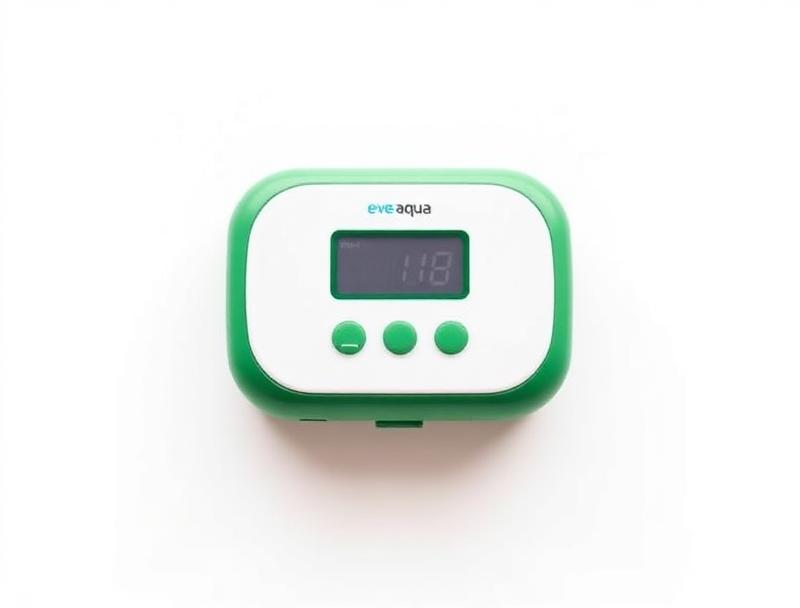
The Eve Aqua is a smart water controller that connects between your outdoor tap and garden hose. It allows you to control water flow via the Eve app, Siri voice commands, or automated schedules through Apple HomeKit.
Key specifications:
• Compatibility: Apple HomeKit (iPhone/iPad required)
• Connection: Bluetooth (Thread-enabled in latest version)
• Power: 2x AA batteries (6-12 months life)
• Water pressure: 0.5-8 bar
• Flow rate: Up to 20 litres/minute
• Weather rating: IPX4 (splash resistant)
The device features a simple design with a large button for manual operation and LED indicators showing connection and valve status.
Key Features
Scheduled Watering
Create custom watering schedules with specific days, times, and durations. Set your lawn sprinkler to run every morning at 6am for 30 minutes, or water your vegetable garden every other evening. The Eve Aqua handles it automatically.
HomeKit Automation
Integrate watering into your smart home routines:
• Water the garden when you leave for work
• Pause watering when a door sensor detects someone in the garden
• Combine with weather services to skip watering on rainy days
• Create scenes like 'Good Morning' that include garden watering
Child Lock
Prevent accidental activation with the child lock feature. When enabled, the physical button is disabled, and only app control works – useful if curious children might play with the controller.
Water Usage Tracking
The Eve app tracks how long the water runs and estimates consumption based on your configured flow rate. View daily, weekly, and monthly usage to understand your garden's water needs.
Siri Voice Control
"Hey Siri, turn on the garden hose" – simple voice commands control the Eve Aqua instantly. Perfect when your hands are dirty from gardening or you want to quickly water a specific area.
Thread Support
The latest Eve Aqua version includes Thread connectivity, providing faster response times and better reliability when used with a Thread border router (HomePod mini or newer Apple TV).
Setup and Installation
Setting up the Eve Aqua is straightforward:
1. Download the Eve app from the App Store
2. Insert batteries – two AA batteries included
3. Scan the HomeKit code on the device or packaging
4. Name and assign to a room in the Home app
5. Connect to your tap – standard 3/4-inch fitting
6. Attach your hose to the outlet side
7. Create schedules in the Eve app
The entire process takes about 10 minutes. The Eve app guides you through each step with clear instructions.
Tip: Position the Eve Aqua in an accessible location. While it's splash-resistant, keeping it somewhat sheltered extends battery life and longevity.
Get Your Free UK Home Energy Audit Checklist
Cut your energy bills with our UK home energy audit checklist, plus our best gadget deals — free.
App and HomeKit Experience
Eve App
The Eve app provides the full feature set:
• At a Glance: Current status (open/closed) and last watering
• Schedules: Create and manage watering schedules
• Automation: Build complex rules and triggers
• Usage: Track water consumption over time
• Settings: Configure flow rate, child lock, and notifications
The interface is clean and intuitive, matching Apple's design language. Creating schedules is simple – pick days, start time, and duration.
Apple Home App
The Home app provides basic control and status viewing. You can turn water on/off and see current state, but schedule creation requires the Eve app.
HomeKit integration means the Eve Aqua appears alongside your other smart home devices, participates in scenes, and works with automations you create in the Home app.
Siri Commands
Useful voice commands include:
• "Turn on the garden water"
• "Turn off the back garden tap"
• "Water the garden for 15 minutes"
• "Is the garden water on?"
Water Savings Potential
Smart irrigation can significantly reduce water waste:
Precision Scheduling
Watering early morning (5-7am) reduces evaporation by up to 50% compared to midday watering. The Eve Aqua makes early scheduling effortless – you don't need to be awake.
Consistent Duration
Manual watering often means forgetting the hose is on. With the Eve Aqua, water runs for exactly the time you specify, eliminating waste from forgetfulness.
Weather-Aware Automation
Combine with weather services (via shortcuts or third-party apps) to skip watering when rain is forecast. This alone can reduce unnecessary watering by 20-30%.
Usage Awareness
Tracking consumption makes you aware of how much water you're actually using. Many users reduce consumption simply by having visibility into their usage patterns.
Estimated savings: Smart irrigation can reduce garden water usage, with savings depending on your home, tariff and usage.
Pros and Cons
Pros
• Simple setup – Works within minutes
• Reliable scheduling – Set and forget automation
• HomeKit integration – Works seamlessly with Apple ecosystem
• Battery powered – No wiring or outdoor outlets needed
• Quality build – Solid construction for outdoor use
• Privacy focused – No cloud account required, data stays local
• Thread support – Future-proof connectivity
Cons
• Apple only – No Android support
• Single zone – Only controls one hose connection
• No rain sensor included – Weather automation requires workarounds
• Bluetooth range – Limited without Thread or Apple home hub
• Price – Premium cost compared to basic timers
Comparison with Alternatives
| Feature | Eve Aqua | Orbit B-hyve | Hozelock Cloud Controller |
|---|---|---|---|
| Price | Check current price | Check current price | Check current price |
| Smart Platform | HomeKit | Alexa, Google | Alexa, Google |
| Android Support | No | Yes | Yes |
| Battery Life | 6-12 months | 12 months | 12 months |
| Rain Sensor | Via automation | Built-in weather | Optional |
| Zones | 1 | 1-2 | 1 |
| Local Control | Yes | Yes | Yes |
Choose Eve Aqua if: You're invested in Apple HomeKit and want seamless integration with your iPhone and other Apple devices. Privacy and local control are priorities.
Choose alternatives if: You use Android, need Alexa/Google integration, or want built-in weather skip features.
Final Verdict
ReviewsThe Eve Aqua Smart Water Controller is the best garden irrigation controller for Apple users. Its HomeKit integration is flawless, setup is effortless, and the battery-powered design means no complex wiring.
Rating: 4.5/5 stars
The Apple-only limitation is significant for mixed-platform households, but for iPhone users, the Eve Aqua delivers exactly what it promises: simple, reliable smart garden watering.
The ability to schedule, automate, and voice-control your garden irrigation saves time, prevents waste, and keeps your garden healthy even during busy periods or holidays. At its current retail price — worth checking, as it varies — it's a worthwhile investment for any HomeKit-equipped garden.
Ready to automate your garden? The Eve Aqua is available from the Apple Store, Amazon UK, and Eve's website. Look for the latest Thread-enabled version for the best performance.
Frequently Asked Questions
Keep reading
Best Home Energy Monitors UK [2026]
See which circuits actually cost you money before you buy anything.
Read the guideBest Smart Plugs UK [2026]
Metering plugs that expose standby drain and real running costs.
Read the guideBest Smart Light Bulbs UK: 4 Top Picks [2026]
Running costs in pence per year, brightness compared and the UK picks worth buying.
Read the guide