Smart Plugs Explained: What They Can and Cannot Do for Your Home [2026]
How this guide was made: this is a research-based roundup, not a hands-on lab review. Picks are based on manufacturer specifications, verified UK owner reviews, independent published test results, price history and what UK buyers are actually choosing. More on the method.
![Illustrative photo for the guide “Smart Plugs Explained: What They Can and Cannot Do for Your Home [2026]”](/images/blog-smart-plugs-explained.jpg)
What can a smart plug do?
A smart plug switches whatever is plugged into it on or off from an app, schedule or voice assistant, and some models measure energy use. It suits lamps, chargers and entertainment devices, but should never power heaters, kettles or anything near its maximum rated load.
A smart plug is one of the cheapest ways to add automation to a UK home, which also makes it one of the most misunderstood. It is not a money-saving miracle, a whole-home energy monitor or a way to make any appliance intelligent. It is simply a switch that sits between a wall socket and a plug, controlled by an app, a schedule or a voice command.
This guide explains what smart plugs can and cannot do, where the energy-saving claims hold up, and how to use one safely. If you already know you want one and just need to compare models, our Best Smart Plugs UK buying guide covers specific picks.
What a Smart Plug Actually Is
A smart plug is a mains adaptor, usually with a single UK socket on the front and a three-pin plug on the back. Inside is a relay that opens or closes the circuit, plus a small radio — normally Wi-Fi, sometimes Zigbee or Z-Wave — that talks to your phone or hub. When you tap the app, the relay clicks and power reaches the appliance. That is all it does.
Some models add an energy-monitoring chip that measures voltage, current and power factor to estimate how much electricity the connected device is using. Others add features such as LED status lights, physical buttons, or power-on behaviour after a power cut. The core function — remote switching — is the same across all of them.
What Smart Plugs Can Do
Remote on/off is the headline feature. From the app you can turn a lamp, fan, coffee machine or desk charger on or off from another room or outside the house. That is genuinely useful for devices that do not need to be on all the time.
Scheduling is where most of the practical value lives. A smart plug can switch a device on and off at set times, which is handy for: a bedside lamp that turns on before you get home, a fan that runs only during the cheapest off-peak hours, or a set-top box that loses power overnight so it cannot draw standby current. Modern TVs and simple set-top boxes often draw 1W or less on standby; boxes with hard drives, multiple tuners or always-on network features can draw several watts.
Voice and platform integration means the plug can appear in Alexa, Google Home or Apple Home as a switch. You can add it to routines, such as 'goodnight' turning off every lamp and charger at once. This works well for lamps and low-draw appliances, less well for anything that should not be voice-controlled by accident.
Energy monitoring, when included, shows live wattage and daily or monthly consumption in the app. It is useful for answering questions such as 'how much does the dehumidifier actually cost to run?' or 'is the old freezer drawing more than it should?' It is not a substitute for a whole-home monitor such as the ones in our Best Home Energy Monitors UK guide.
What Smart Plugs Cannot Do
A smart plug cannot make a dumb appliance smart. It can only switch power on or off. It cannot dim a bulb, adjust a heater's thermostat, change a fan speed, or tell a robot vacuum to start cleaning. If the appliance does not do what you want when power is applied, a smart plug will not help.
It also cannot save money on every device. Modern chargers, LED lamps and efficient appliances draw very little on standby — often well under 0.5W, with efficient chargers below 0.1W. Switching them off at the plug saves a few pence a year, which may not be worth the inconvenience. The savings are more realistic on older, always-on kit.
A smart plug is not a safety device. It will not protect against overload, short circuits or earth faults. Some have thermal cutouts, but they are not replacements for fuses, circuit breakers or residual-current devices. Do not use one to bypass fixed wiring or to control anything safety-critical.
Get Your Free UK Home Energy Audit Checklist
Cut your energy bills with our UK home energy audit checklist, plus our best gadget deals — free.
Energy Monitoring: Useful or Overstated?
Energy-monitoring plugs are useful for spot checks and curiosity, but the figures need context. The plug measures the appliance plugged into it, not the rest of the house. If you want to know whether your overall usage is high, you need a whole-home monitor clamped at the consumer unit.
Accuracy varies by model and load. Most are accurate enough to rank devices by consumption — 'the dehumidifier uses more than the air purifier' — but less reliable for precise cost calculations, because they may not track power factor well at low loads and they rely on you entering the correct electricity tariff. Manufacturer documentation typically quotes an error of around 3–5% for energy-monitoring plugs, with low loads and reactive appliances at the less accurate end.
Where monitoring shines is behavioural: people tend to turn things off once they see the wattage. A plug that shows the gaming PC pulling 150W on standby is more persuasive than a lecture about phantom power. Just do not treat the yearly cost estimate as exact.
Safety and Load Limits
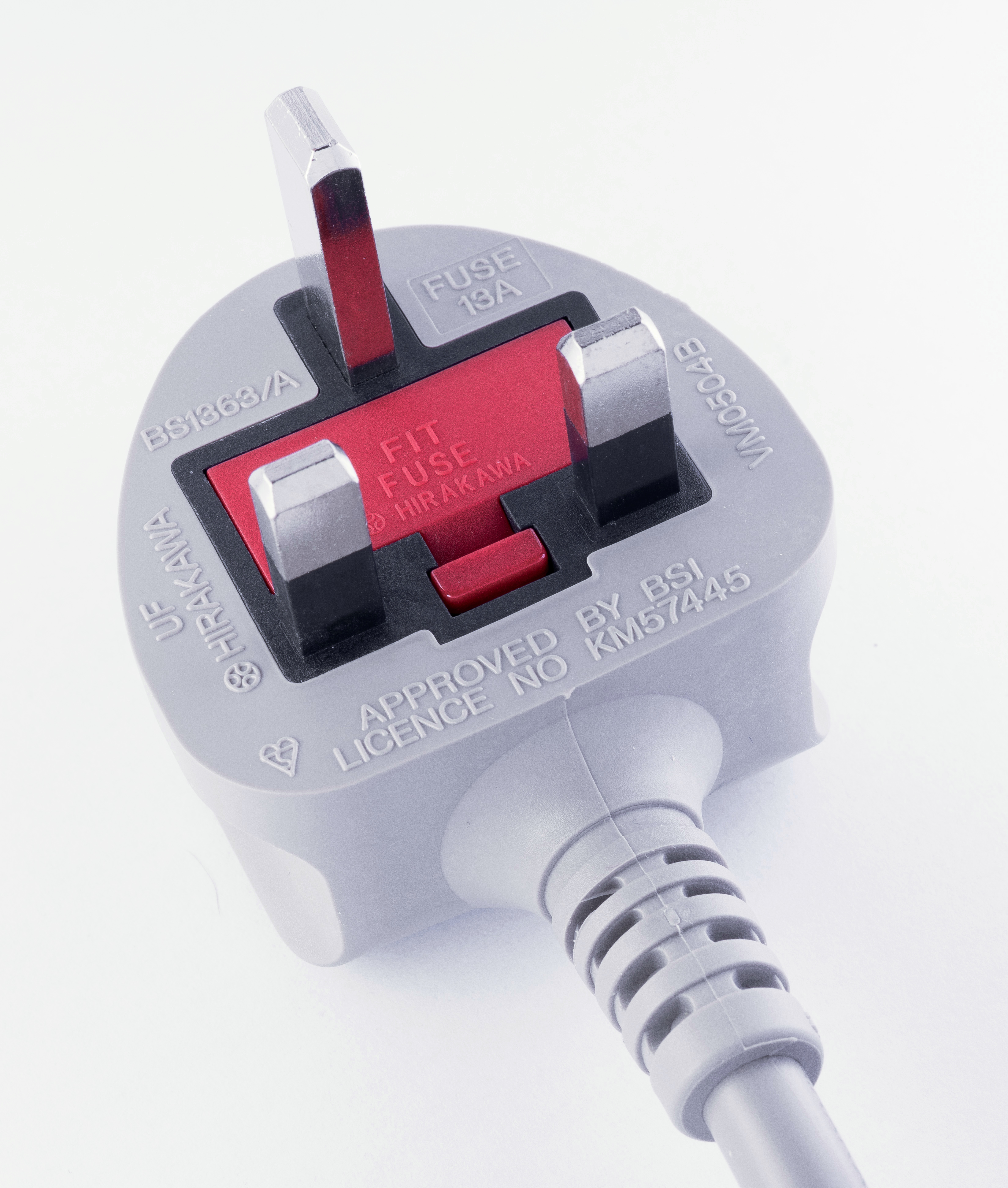
This is the part to read carefully. A UK wall socket is rated for 13A, which at 230V is about 2990W. UK smart plugs are commonly rated at 10A (about 2300W) or 13A (about 2990W), but smaller or older models can be lower. Always check the exact model's specification. The plug's rating must exceed the appliance's maximum draw, not just its average draw.
High-draw appliances are usually unsuitable. Kettles, irons, fan heaters, tumble dryers, washing machines and microwave ovens can pull close to or above 13A at peak. Even if the plug is rated for 13A, running it at its absolute limit for long periods is not a good idea. Manufacturers typically state this in their safety guidance.
Appliances with motors or compressors add another problem: start-up surge. A fridge or freezer may draw several times its running current for a second when the compressor starts. If the smart plug's relay or rating is marginal, repeated switching can damage the plug or the appliance. Most manufacturers advise against controlling fridges, freezers and medical equipment with a smart plug.
Finally, anything that must stay powered for safety or function should not be on a smart plug. That includes smoke alarms, carbon-monoxide detectors, medical devices, security systems and devices that need uninterrupted power for updates or phone-line backup.
When a Smart Plug Is Worth It
A smart plug earns its place when three things line up: the device is safe to lose power, it is left on unnecessarily, and switching it saves more effort than it costs.
Good examples include: a floor lamp or string of lights that you want on a schedule, a fan or air purifier that only needs to run at certain times, a desktop computer and monitor that draw noticeable standby power overnight, or a charger cluster on a desk that you want to switch off when not in use.
They are also a cheap way to experiment with automation before committing to a wider smart-home system. If you find you like scheduling a lamp, you may later want smart bulbs or a full lighting system. If you never open the app after week one, you have wasted £15 rather than £150.
When It Is Not
Skip a smart plug if the appliance needs continuous power, draws more than the plug can handle, or saves so little that the plug will never pay for itself. Also skip it if your household includes people who will be confused by a suddenly dead socket, or if the device has its own scheduling that works better.
Do not buy one purely to save money on a modern, efficient appliance. The payback period on a £15 smart plug saving 1W of standby is measured in many years. Buy it for convenience and automation; treat any energy saving as a bonus.
How to Choose
Start with the load. Find the appliance's maximum wattage on its label or in the manual, then choose a plug rated comfortably above it. If the label only gives amps, multiply by 230V to get watts. Leave headroom: a 2000W heater on a 2300W-rated plug is technically within spec but running close to the limit.
Next, decide whether you need energy monitoring. It adds cost but is worth it if you are curious about consumption or trying to cut usage. If you only want scheduling and remote on/off, a basic model is fine.
Check the ecosystem. If you use Alexa, Google Home or Apple Home, make sure the plug is listed as compatible. If you already have a Zigbee or Z-Wave hub, a hub-based plug will keep traffic off your Wi-Fi and usually respond faster. If not, a Wi-Fi plug is the simplest start.
Physical size matters on a UK double socket. Many smart plugs are bulky enough that two will not fit side by side. Look for 'mini' or compact models, or buy one with a pass-through socket if you need to keep the second socket free.
What to Do Next
Pick one device you currently leave on unnecessarily, check that it is safe to switch at the plug, and confirm the load is well within a smart plug's rating. Then compare models in our Best Smart Plugs UK guide. Start with one plug, use it for a fortnight, and only then decide whether to expand. A smart plug is a small purchase, but it is only useful if it actually changes a habit.
Frequently Asked Questions
Keep reading
Best Smart Plugs UK [2026]
Metering plugs that expose standby drain and pay for themselves.
Read the guidePhantom Power Drain: What It Really Costs
Where the always-on watts hide and how much they add to a UK bill.
Read the guideBest Smart Power Strips UK [2026]
Per-socket switching and metering for desks and media walls.
Read the guide