Smart Plugs: Eliminate Phantom Power [2026]
How this guide was made: this is a research-based roundup, not a hands-on lab review. Picks are based on manufacturer specifications, verified UK owner reviews, independent published test results, price history and what UK buyers are actually choosing. More on the method.
![Illustrative photo for the guide “Smart Plugs: Eliminate Phantom Power [2026]”](/__l5e/assets-v1/828b9605-205c-46e0-863e-54985a431b13/comparison-meross.jpg)
How do smart plugs help eliminate phantom power?
A smart plug cuts power to a device completely on a schedule or from an app, stopping standby draw. Use one with energy monitoring to confirm the saving, and group entertainment devices on a smart power strip. Never use one for heaters or appliances above its rated load.
Energy bills. It's a phrase that has caused more sharp intakes of breath around British dinner tables over the past few years than almost any other. As we navigate 2026, the cost of keeping our homes powered remains a primary concern for families across the UK. We've become experts at switching off lights and wearing an extra jumper, but a silent, invisible culprit is still draining your bank account, kilowatt by kilowatt. It's called phantom power, and it could be costing you hundreds of pounds every single year without you even realising it. Here at MyGadgetDad, we believe that knowledge is power—both literally and figuratively. This comprehensive guide will expose this hidden energy thief and give you the ultimate weapon to fight back: the humble smart plug.
This isn't just about flicking a switch. This is a deep dive into strategic power management for the modern British home. We'll demystify phantom power with real-world cost breakdowns based on current and projected UK energy prices. We will meticulously review the best smart plugs on the market, from budget-friendly workhorses to premium, feature-packed models. We'll walk you through, step-by-step, how to identify the worst energy-draining offenders in every room of your house, and how to set up intelligent schedules and automations that save you money while you sleep. By the end of this guide, you won't just understand the problem; you'll have a complete, actionable plan to eliminate wasted energy and significantly reduce your electricity bills.
The Invisible Thief: Understanding Phantom Power in Your Home
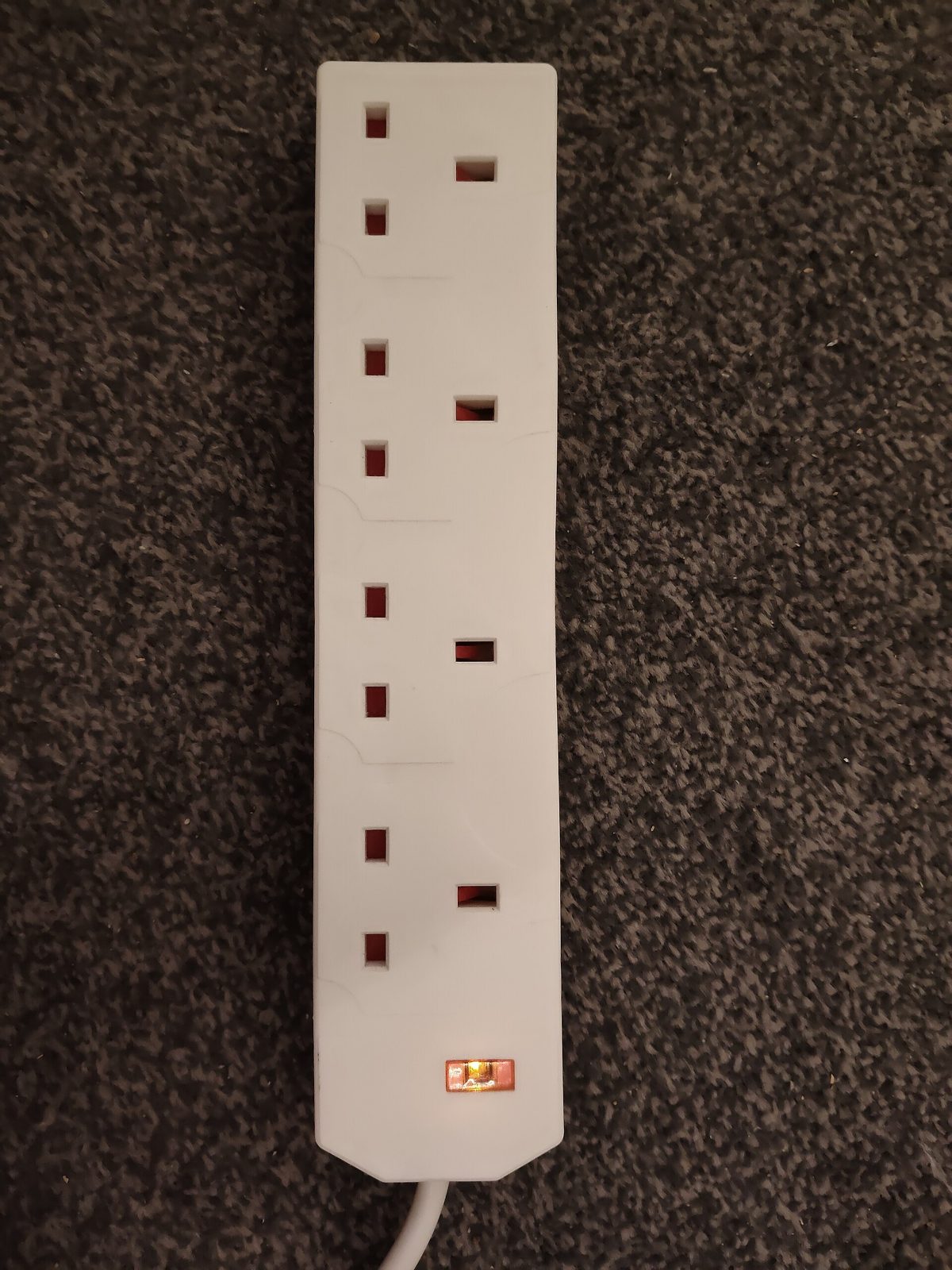
Before we can defeat the enemy, we must first understand it. 'Phantom power'—also known as 'vampire power' or the more technical 'standby power'—refers to the electricity consumed by your electronic devices even when they are switched off or in standby mode. You might think that pressing the 'off' button on your television remote cuts all power, but in most cases, it simply puts the device into a low-power state, ready to spring back to life at a moment's notice. This convenience comes at a persistent, cumulative cost that is reflected in every single one of your energy bills.
What Exactly is Phantom Power?
Think of all the devices in your home with a small LED light that stays on, a digital clock, or a remote control receiver. That's phantom power at work. It's the microwave waiting for you to press 'start', the Sky Q box downloading updates overnight, the games console ready for a remote 'wake-up' command, and the phone charger that remains plugged in long after your phone has reached 100%. Each of these devices individually draws a very small amount of power, often between 0.5 and 15 watts. While that might seem insignificant, the problem is the sheer number of these devices in a typical UK household and the fact that they are drawing this power 24 hours a day, 7 days a week.
This constant, low-level drain is designed into many modern electronics for our convenience. Instant-on functionality for TVs, maintaining network connections for smart speakers, and keeping internal memory powered are all common reasons for standby power consumption. While manufacturers are now regulated to reduce standby usage (the EU Ecodesign Directive, still relevant in the UK, mandates most new devices use less than 0.5W in standby), older gadgets and certain types of electronics are still major culprits. The cumulative effect of a dozen or more of these 'sleeping' devices can be genuinely shocking when you add it all up over a year.
The Shocking Cost of Standby: A 2026 UK Perspective
Let's put some real numbers on this. The cost of electricity in the UK can be volatile, but for our 2026 projections, we'll work with an average figure of 30p per kilowatt-hour (kWh), a realistic estimate given recent market trends. The Energy Saving Trust estimates that the average UK household spends money each year on phantom power alone. However, in homes filled with modern gadgets like multiple large TVs, games consoles, and home office equipment, this figure can be significant; check your own usage to understand potential savings.
Consider a typical entertainment setup: a 65-inch OLED TV, a Sky Q box, a PlayStation 5, and a soundbar. In standby mode, these devices can collectively draw around 25 watts. It doesn't sound like much, but let's do the maths. That's 25W x 24 hours = 600 watt-hours per day, or 0.6 kWh. Over a year, that's 0.6 kWh/day x 365 days = 219 kWh. At our projected rate of 30p/kWh, that single entertainment centre is costing you £65.70 a year while it's supposedly 'off'. Now multiply that effect across your kitchen appliances, home office, and bedrooms. The so-called 'invisible' cost suddenly becomes very visible indeed.
Your Weapon of Choice: The Best Smart Plugs for UK Homes
A smart plug is a simple but ingenious device. You plug it into your standard wall socket, and then you plug your appliance into the smart plug. It connects to your home's Wi-Fi network, allowing you to turn the power supply to your appliance on or off remotely using a smartphone app. More importantly for our purposes, it allows you to set automated schedules, effectively cutting power completely during times the device isn't needed. This simple act transforms a power-sucking vampire device into one that uses absolutely zero power when it's not in active use. It's the most effective way to kill phantom power at the source.
What Makes a Great Smart Plug? Key Features to Look For
Not all smart plugs are created equal. When choosing the right model for your home, consider these essential features. First, Energy Monitoring is crucial. A plug with this feature doesn't just switch on and off; it actively measures the electricity flowing through it, giving you real-time and historical data on your device's power consumption. This is invaluable for identifying the worst phantom power offenders. Second, consider its Physical Size. Some larger smart plugs can be bulky and block the adjacent socket, which is incredibly frustrating. Look for compact, modern designs. Thirdly, check its Ecosystem Compatibility. Ensure the plug works with your preferred smart home system, whether it's Amazon Alexa, Google Assistant, or Apple HomeKit. Finally, and most importantly, is Safety Certification. Only ever buy plugs that are certified for UK use, clearly displaying the UKCA (or older CE) mark. They must be rated for 13 Amps to comply with UK standard BS 1363.
Head-to-Head: The Top Smart Plugs of 2026
The market is flooded with options, but a few models consistently stand out for their reliability, features, and value. Based on spec sheets, user feedback, and UK compatibility, these are our top recommendations for UK homes.
TP-Link Tapo P110 Mini Smart Wi-Fi Socket: This is the undisputed champion for most people. It's compact, incredibly reliable, and its companion Tapo app is user-friendly and feature-rich. The P110's energy monitoring is excellent, providing clear graphs of daily, monthly, and yearly consumption, and even calculating the cost for you if you input your electricity tariff. At budget-plug prices, it offers unbeatable value. It works seamlessly with both Alexa and Google Assistant.
Meross MSS310 Smart Wi-Fi Plug with Energy Monitor: Often available in multi-packs for a great price, the Meross MSS310 is a fantastic budget-friendly alternative. It offers robust energy monitoring, a slim design that doesn't block other sockets, and broad compatibility, including Alexa, Google Assistant, and even Samsung SmartThings. While its app isn't quite as polished as Tapo's, it's highly functional and provides all the data you need to track down phantom power drains. A twin pack can often be found for under £20.
Eve Energy (UK) Smart Plug & Power Meter: For those embedded in the Apple ecosystem, the Eve Energy is the premium choice. It foregoes Wi-Fi in favour of Bluetooth and Thread, a new, more robust mesh network technology built into devices like the HomePod Mini. This means it offers lightning-fast response times and can operate even if your Wi-Fi goes down. Its energy monitoring is first-class, and the Eve app provides beautiful, detailed consumption charts. The downside is its price, well above budget rivals for a single plug, and it's primarily designed for Apple HomeKit users.
Shelly Plug S: This one is for the tech enthusiasts and home automation hobbyists. The Shelly Plug S is incredibly small and yet packed with features. What sets it apart is its open-source nature and local control capabilities via MQTT or REST APIs. This means it can be integrated into advanced smart home platforms like Home Assistant without relying on the cloud, offering unparalleled privacy and customisation. It still has a user-friendly app and works with Alexa/Google, but its true power is unlocked by those who like to tinker. It sells at a mid-range price.
Comparison Table: Smart Plug Feature Showdown
| Feature | TP-Link Tapo P110 | Meross MSS310 | Eve Energy (UK) | Shelly Plug S |
|---|---|---|---|---|
| Typical Price | Check current price | Check current price | Check current price | Check current price |
| Energy Monitoring | Yes (Excellent) | Yes (Very Good) | Yes (Excellent) | Yes (Good) |
| Connectivity | 2.4GHz Wi-Fi | 2.4GHz Wi-Fi | Bluetooth, Thread | 2.4GHz Wi-Fi |
| Ecosystem | Alexa, Google Assistant | Alexa, Google, SmartThings | Apple HomeKit | Alexa, Google, MQTT/API |
| Size | Compact | Compact | Medium | Very Compact |
| Max Load (UK) | 13A / 2990W | 13A / 2990W | 11A / 2500W | 10A / 2500W |
| Best For | Overall Value & Usability | Budget-conscious Buyers | Apple HomeKit Users | Tinkerers & Developers |
| Where to Buy | Check PriceAffiliate link · Amazon UK | Check PriceAffiliate link · Amazon UK | — | — |
Smart Power Strips: Taming the Medusa's Head of Cables
For areas with a high concentration of electronics, like a home office or entertainment centre, a single smart plug might not be enough. This is where smart power strips come in. A device like the TP-Link Tapo P300 Kasa Smart Wi-Fi Power Strip offers multiple outlets (typically 3 to 6) plus several USB ports in a single unit. The key feature is that each socket can be controlled and scheduled independently. This is power management on a micro-level. You can create a schedule that turns off your TV, console, and soundbar completely overnight, but leaves your Sky Q box on to record your favourite shows. In the office, you could have your monitors and printer power down after 7 pm, while the USB ports continue to charge your devices. It's a clean, efficient solution for managing multiple phantom power sources with one smart device.
From Dumb Sockets to Smart Savings: A Practical Setup Guide
The prospect of 'setting up' new technology can be daunting for some, but modern smart plugs have been designed with simplicity at their core. In most cases, you can go from unboxing the device to controlling it with your voice in under five minutes. The process marries physical installation with a simple, guided software setup on your smartphone, making it accessible to everyone, regardless of their technical expertise. Let's walk through the process.
Step-by-Step: Setting Up Your First Smart Plug (Using Tapo P110)
We'll use the popular TP-Link Tapo P110 as our example, as its setup process is representative of most major brands. It’s a straightforward procedure that requires no technical skills whatsoever.
1. Download the App: Before you even open the box, go to the Apple App Store or Google Play Store on your smartphone and download the 'Tapo' app. Create a free TP-Link account, which will allow you to manage your devices from anywhere.
2. Plug It In: Unbox your Tapo P110 and plug it into a desired wall socket. A small LED on the plug will start blinking (usually orange and green), indicating it's in setup mode and ready to be discovered.
3. Add the Device: Open the Tapo app and tap the '+' icon, usually located in the top-right corner. Select 'Smart Plugs' from the list of devices and then choose your model, the P110.
4. Connect to Wi-Fi: The app will then instruct you to connect to your home's 2.4GHz Wi-Fi network. It's important to note that most smart home devices, including this one, do not work with 5GHz networks, so ensure your phone is connected to the 2.4GHz band during setup. Enter your Wi-Fi password when prompted.
5. Name Your Plug: Once connected, the app will ask you to give your plug a name (e.g., 'Living Room TV', 'Kitchen Kettle') and assign it to a room. This organisational step is crucial for managing multiple plugs and for using voice commands later on.
6. All Done! That's it. You can now toggle the plug on and off from the app's home screen. The entire process takes less than three minutes. Now you can plug your target appliance, like your television, into the Tapo P110.
Mastering the App: Scheduling and Timers Explained
The real power of a smart plug lies in automation. Let's create a simple schedule to eliminate phantom power from our 'Living Room TV' overnight. In the Tapo app, select your TV plug. You will see several options at the bottom of the screen, including 'Schedule' and 'Timer'.
To create an overnight shutdown, tap 'Schedule'. Tap the '+' icon to add a new event. For the 'On/Off' setting, select 'Off'. For the 'Time' setting, choose a time when everyone is typically in bed, for example, 11:30 PM. Under 'Repeat', you can select every day of the week. Save this event. Now, add a second event by tapping '+' again. This time, select 'On' and set the time for just before you usually get up, say 6:30 AM, again repeating daily. You have now created a fully automated schedule. Your TV and any associated devices will be completely powered down for seven hours every night, saving energy without you ever having to think about it.
The Power of Energy Monitoring: Unmasking Your Energy Guzzlers
This is where the magic happens. A plug with energy monitoring, like the Tapo P110 or Meross MSS310, is your personal energy detective. Within the app, for your chosen plug, there will be an 'Energy Usage' section. Tapping this reveals a dashboard of information. You'll see the 'Current Power' being drawn in watts (W), which allows you to see the difference between active use and standby. More importantly, it collates this data over time.
You can view graphs showing the 'Total Consumption' in kilowatt-hours (kWh) for the past day, 7 days, or 30 days. The Tapo app even lets you input your cost per kWh from your energy bill. Once you do this, it will translate the kWh usage directly into pounds and pence, showing you exactly how much that specific appliance is costing you to run. Leave the plug on a device for 24 hours to get a baseline. You will quickly and clearly see how much power is being used during active hours versus the low, constant drain of the standby hours. This data is the key to prioritising which devices need to be put on a smart plug schedule first.
Get Your Free UK Home Energy Audit Checklist
Cut your energy bills with our UK home energy audit checklist, plus our best gadget deals — free.
The Great British Power Audit: Identifying Offenders Room by Room
Now that you're armed with an energy-monitoring smart plug, it's time to go on a hunt. The goal is to systematically measure the standby power consumption of the electronics in your home to find the biggest offenders. This isn't guesswork; it's a data-driven process that will give you a precise hit-list of devices that are costing you the most money. You’ll be surprised by what you find.
How to Conduct Your Own Power Audit
Your own power audit is simple and requires no special expertise. Take a reliable energy monitoring plug like a Tapo P110, plug in an appliance, and leave it for at least an hour in its 'off' or 'standby' state. Note the wattage reported by the app. Wattage is an instantaneous measure of power draw. To calculate the annual cost of this phantom drain, use a simple formula: (Standby Watts / 1000) x 24 hours x 365 days x £0.30 (your current kWh cost). This will give you an accurate picture of how much a single 'sleeping' device costs per year.
The Living Room: Entertainment Centre Nightmares
This is almost always the worst-offending room in the house. Your main television, set-top box, games consoles, and audio equipment are a major source of phantom power. Modern consoles like the Sony PlayStation 5 and Xbox Series X are particularly notorious. In their default 'Rest Mode', they maintain a network connection for remote downloads and quick resumption, often drawing between 10-13W. A Sky Q or Virgin Media box can constantly draw 8-15W to stay updated. Even a modern OLED TV from LG or Sony will pull 1-2W just to wait for the remote signal. A good soundbar can add another 3-5W. Combined, it's a recipe for a constant 25-35W drain, with the potential impact on your energy bill depending on your tariff and usage.
The Kitchen: The Unexpected Culprits
The kitchen holds some surprising energy vampires. Your microwave is a classic example; while it may only draw 2-4W, it does so 24/7 just to power its digital clock. For some, this standby power could add up over a year for a clock you probably don't even use. High-end coffee machines, especially bean-to-cup models with 'keep warm' or 'instant on' features, can be significant culprits, sometimes drawing 5W or more in standby. Even smart displays like an Amazon Echo Show or Google Nest Hub, which are always listening and displaying information, will consume a steady 2-4W. While you may want these on all the time, being aware of their consumption is key, and potential savings depend on your home, tariff and usage.
The Home Office: The 'Always-On' Drain
The rise of working from home has created new phantom power hotspots. A typical setup includes one or two large computer monitors. Even when 'off', these can each draw 1W. Your laser or inkjet printer is a huge offender; many sit in a deep sleep mode drawing 3-7W continuously. Add in a collection of chargers for laptops, phones, and tablets, plus a set of powered computer speakers, and your 'powered down' home office can easily be sipping 15-20W. A smart power strip is the perfect solution here, allowing you to kill the power to everything except perhaps your broadband router with a single command or schedule.
The Bedroom: Silent but Costly
Bedrooms are often home to a second or third television, which has the same phantom drain as its living room counterpart. The real issue here is the proliferation of chargers. We all leave our phone, watch, and tablet chargers plugged in at the wall. While a modern charger plugged in without a device attached uses a negligible amount of power (less than 0.1W), older, cheaper chargers can be less efficient and draw more. The bigger issue is the devices themselves. Once your phone hits 100%, it stops drawing significant power, but the charger and phone circuitry still use a small amount to 'top up' the battery, creating a small but unnecessary drain for several hours every night.
Comparison Table: Common Phantom Power Offenders & Annual Cost
| Device | Typical Standby Power (Watts) | Annual Cost (at 30p/kWh) |
|---|---|---|
| PlayStation 5 / Xbox Series X (Rest Mode) | 12 W | £31.54 |
| Sky Q Box / Virgin 360 Box | 10 W | £26.28 |
| Large OLED/QLED TV | 2 W | £5.26 |
| Soundbar / AV Receiver | 4 W | £10.51 |
| Laser Printer | 5 W | £13.14 |
| Microwave with Digital Clock | 3 W | £7.88 |
| Multiple Phone/Gadget Chargers | 2 W (Cumulative) | £5.26 |
| TOTAL (for just these items) | 38 W | £99.87 |
High-Power Appliances and Safety: A Critical Warning

A common question we get is whether smart plugs can be used with high-power appliances like kettles, portable heaters, or tumble dryers. The answer is a heavily-qualified 'yes', but it requires your utmost attention to safety specifications. Using the wrong plug with a high-draw appliance is not just a mistake; it's a serious fire hazard. Understanding the electrical limits of both your home wiring and the smart plug itself is non-negotiable.
Understanding UK Electrical Limits: The BS 1363 Plug and the 13 Amp Rule
In the United Kingdom, our entire domestic electrical system is built around the BS 1363 plug and socket standard. A key feature of this standard is the fuse located inside the plug top, and the fact that a standard wall socket is designed to deliver a maximum current of 13 Amperes (Amps). Power, measured in watts (W), is calculated by multiplying the voltage (V) by the current in amps (A). In the UK, the mains voltage is nominally 230V.
Therefore, the maximum power a standard UK socket can safely provide is: 230V x 13A = 2990W. For simplicity and a safety margin, this is often rounded to 3 kilowatts (3kW). Any appliance that draws more than this is required to be hardwired directly into the mains by an electrician, not plugged into a socket. This is why you will never see a 15kW electric shower with a plug on it. The most powerful plug-in appliances, like a fast-boil 3kW kettle or a large 2.5kW convector heater, are designed to operate right at this safety limit.
Choosing the Right Plug for the Job: Safety First
It is absolutely critical that any smart plug you intend to use with a high-power appliance is explicitly rated for 13A / 2990W. The majority of reputable smart plugs sold in the UK, such as the TP-Link Tapo P110 and the Meross MSS310, meet this standard. It will be clearly printed on the device itself and on its packaging. You must check this. Some cheaper, smaller, or non-certified plugs (often found on online marketplaces) may only be rated for 10A (2300W). Plugging a 3000W kettle into a 10A-rated smart plug is extremely dangerous.
Even with a 13A-rated plug, caution is advised. While they are designed to handle the load, using them for sustained periods with maximum-draw appliances (like running a 2.5kW heater for hours on end) can generate heat. It's wise to physically check the plug periodically to ensure it doesn't feel excessively warm. For appliances like kettles, which draw high power for only a very short time (1-2 minutes), the risk is lower, but the 13A rating is still mandatory. Never, ever use a smart plug with a device whose wattage exceeds the smart plug's maximum rating.
The Real Risk: Overheating and Fire Hazards
What happens when you overload a plug? The excessive current draw causes the internal components and wiring to heat up beyond their design tolerance. This can lead to the plastic casing melting, internal short circuits, and damage to both the appliance and your wall socket. In the worst-case scenario, this overheating can ignite the plastic or nearby flammable materials, causing a house fire. While the fuse in the appliance's own plug should theoretically blow first, relying on this is a gamble you should not take. The golden rule is simple: check the wattage of your appliance and check the maximum load of your smart plug. If the former is higher than the latter, do not connect them.
Creating a Truly Smart Home: Advanced Automation and Routines
Once you've mastered simple schedules, you can begin to unlock the true potential of your smart plugs by integrating them into your wider smart home ecosystem. This is where you move beyond just saving energy and start adding real convenience and intelligence to your home. By linking your plugs to services like Amazon Alexa, Google Assistant, and IFTTT, you can create powerful routines that control multiple devices based on a single trigger, your location, or even the time of day.
Beyond Simple Timers: Integrating with Your Smart Ecosystem
The first step is to link your smart plug's account (e.g., Tapo or Meross) with your chosen voice assistant. This is done within the Alexa or Google Home app, usually under a section called 'Skills & Games' (Alexa) or 'Works with Google' (Google Home). You simply search for the brand of your plug, log in with the account you created during setup, and authorise the connection. Once linked, all the plugs you named earlier will automatically appear as controllable devices in your smart home app. Now, instead of opening the Tapo app, you can simply say, "Alexa, turn off the living room TV," or "Hey Google, is the home office on?"
This voice control is convenient, but the real power comes from incorporating these plugs into 'Routines'. A routine is a custom automation that can perform multiple actions from a single trigger phrase. This lets you orchestrate your home's power usage in a far more sophisticated way than a simple on/off schedule. You can create routines tailored to your family's specific daily activities, ensuring that power is only ever used when and where it's absolutely needed.
Building Powerful Routines: "Goodnight" and "Leaving Home"
Let's build two of the most useful and energy-saving routines. The "Goodnight" routine is a classic. In your Alexa app, go to Routines and create a new one. For the 'When' or trigger, select 'Voice' and type in the phrase "Goodnight". For the 'Action', you will add several steps. Add an action for 'Smart Home', find your living room TV plug and set it to 'Off'. Add another action for your home office power strip and set it to 'Off'. Add another for your kitchen microwave plug and set it to 'Off'. You can also add other actions, like turning off your smart lights or having Alexa say "Goodnight, sleep well."
Now, every night, a single phrase will trigger a cascade of actions that systematically shut down all major phantom power sources in your home. Similarly, you can create a "Leaving Home" routine. In the Alexa or Google Home app, you can set the trigger to be based on your phone's location. So, the routine trigger would be 'When the last person leaves the home'. The actions would be to turn off all non-essential plugs (TVs, office, etc.), adjust your smart thermostat, and so on. The house effectively puts itself into a deep-sleep energy-saving mode automatically, and can then power back up when the first person arrives home.
Unleashing IFTTT (If This Then That) for Next-Level Control
For the ultimate level of customisation, you can explore IFTTT (If This Then That). IFTTT is a free web-based service that allows you to create chains of conditional statements, called 'applets', which can connect devices and services that don't normally talk to each other. For example, brands like TP-Link Tapo have an IFTTT service. This allows for incredibly creative automations. You could create an applet like: 'IF the sun sets (Weather Underground service), THEN turn on the 'Living Room Lamp' smart plug (Tapo service)'. Or, 'IF I enter a new item in my Google Calendar that contains the word "Holiday", THEN turn off the 'Main TV' and 'Office' plugs'. While it requires a bit more setup, IFTTT opens up a world of possibilities for hyper-personalised power management.
Reclaim Your Power: Small Changes, Big Savings
The battle against rising energy costs can feel overwhelming, but as we've demonstrated, you have powerful, affordable tools at your disposal. Phantom power is no longer an unavoidable cost of modern life; it's a solvable problem. By investing a small amount of time and money in a few smart plugs, you can perform your own home energy audit, identify the worst culprits, and automate the process of eliminating waste. The savings are real, immediate, and they accumulate day after day, year after year.
This guide has equipped you with the knowledge to understand the problem and the practical steps to fight back. From choosing the right plug and setting it up in minutes, to creating advanced home automation routines, the power is now firmly back in your hands. A smart plug can offer significant savings, depending on your home, tariff, and usage – a return on investment that beats any savings account. The journey to a smarter, more energy-efficient home starts with a single socket. At MyGadgetDad, we're dedicated to helping you find the smartest ways to save, and we're confident that tackling phantom power is the single most effective first step you can take. Explore our other guides, start your power audit today, and watch your energy bills shrink.
Related MyGadgetDad Guides
Smart plugs and power management are most effective when combined with monitoring and automation across your home:
Home Energy Savings Hub — See how power management fits into the five-pillar strategy for cutting your energy bills, with savings depending on your home, tariff and usage.
Energy Monitoring Guide — Use energy monitors to identify your worst phantom power offenders before investing in smart plugs.
Smart Lighting Guide — Combine smart plugs with smart lighting for comprehensive automation that ensures nothing is left on unnecessarily.
Frequently Asked Questions
Keep reading
Best Smart Plugs UK [2026]
Metering plugs that expose standby drain and real running costs.
Read the guideBest Smart Light Bulbs UK: 4 Top Picks [2026]
Running costs in pence per year, brightness compared and the UK picks worth buying.
Read the guideBest Home Energy Monitors UK [2026]
See which circuits actually cost you money before you buy anything.
Read the guide