Smart Lighting: 7 Best Systems Compared [2026]
How this guide was made: this is a research-based roundup, not a hands-on lab review. Picks are based on manufacturer specifications, verified UK owner reviews, independent published test results, price history and what UK buyers are actually choosing. More on the method.
![Illustrative photo for the guide “Smart Lighting: 7 Best Systems Compared [2026]”](/images/hero-smart-lighting.jpg)
How do I choose smart lighting controls?
Decide between smart bulbs, smart switches and plug-in controls first. Bulbs suit renters and colour lighting, switches suit homes that want wall switches to keep working, and plugs suit lamps. Then check your fitting, whether you have a neutral wire, and which voice assistant you use.
Smart lighting has transitioned from a novel luxury to an indispensable component of the modern, energy-efficient British home. No longer just about clapping to turn your lights on and off, today's systems offer a dazzling array of features: from automated schedules that mimic the natural rise and fall of the sun, to vibrant colour scenes that can transform a living room into a cinema at the touch of a button. Yet, with this explosion of choice comes confusion. Zigbee or Wi-Fi? Philips Hue or TP-Link Tapo? Smart bulbs or smart switches? Navigating this landscape can feel overwhelming. This guide pulls together manufacturer specifications, independent reviews and verified owner feedback to cut through the noise. This is your complete, authoritative guide to choosing, installing, and mastering smart lighting for your UK home in 2026.
Our goal is to empower you with the knowledge to not only select the right products but also to understand the technology behind them. We will demystify the jargon, compare the leading brands, and provide actionable, data-driven advice on how smart lighting can genuinely reduce your energy bills and enhance your well-being. Whether you're a tech-savvy enthusiast looking to build a fully integrated smart home, or a curious homeowner wanting to dip your toes in with a single smart bulb, this guide has you covered.
The LED Revolution: Paving the Way for Smart Lighting
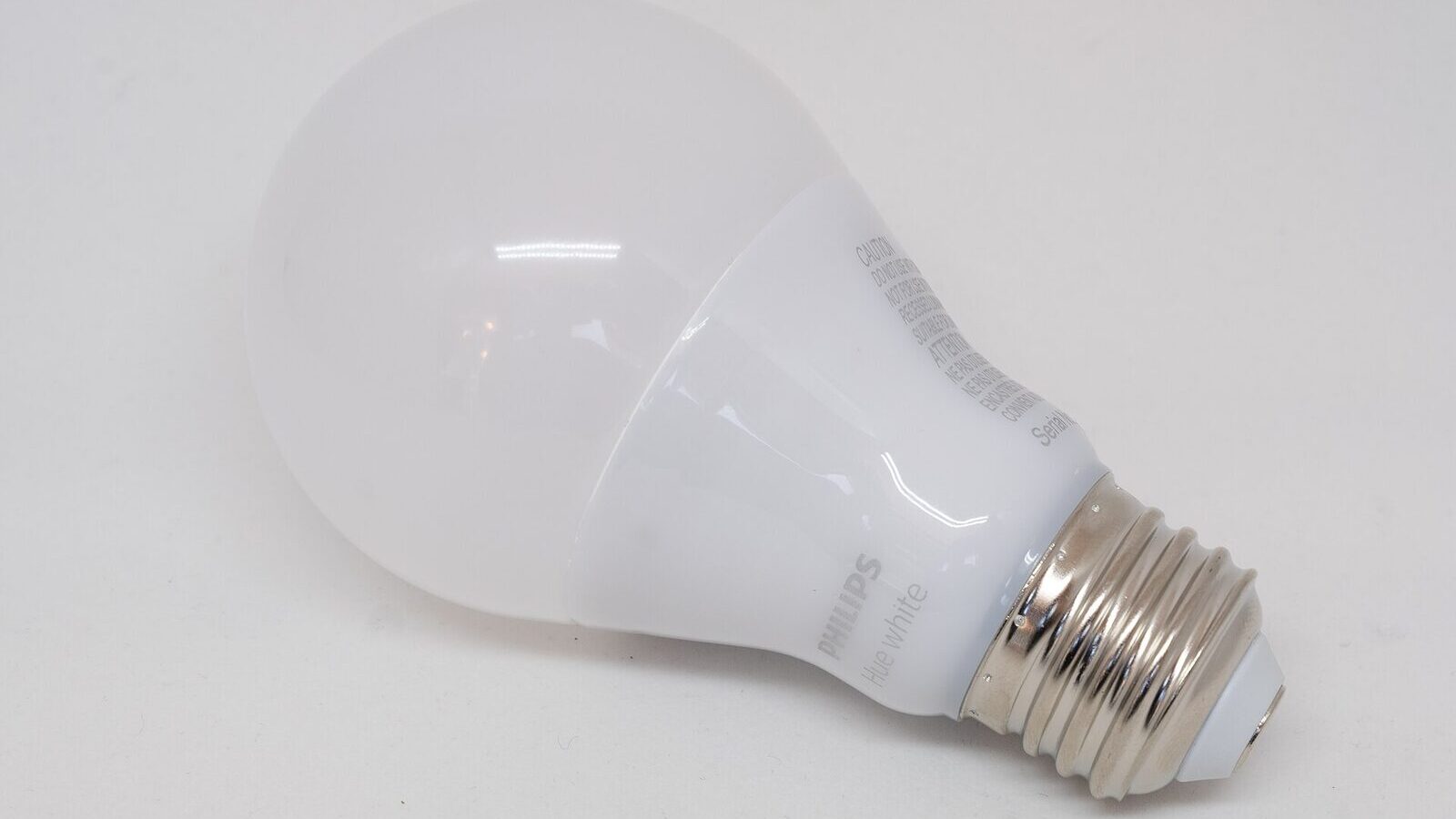
Before we can appreciate the 'smart' aspect, we must first understand the foundational technology that makes it all possible: the Light Emitting Diode (LED). The move away from incandescent and halogen bulbs to LED has been one of the most significant energy-saving shifts in modern history. An old 60-watt incandescent bulb, which wasted around 90% of its energy as heat, can now be replaced by an 8-watt LED that produces the same amount of light (around 800 lumens) while lasting up to 25 times longer. This staggering increase in efficiency is the bedrock upon which the entire smart lighting industry is built.
LEDs are not simply more efficient; their digital nature is what makes them 'smart'. Unlike a traditional bulb with a simple filament, an LED is a semiconductor device. This means its output can be controlled with incredible precision by micro-collers. This digital control allows for three key features that define smart lighting: dimming, colour temperature adjustment, and full-spectrum colour changing. A smart bulb is essentially a tiny, networked computer attached to a highly efficient, digitally controlled light source. This fusion of technologies allows for a level of control and automation that was pure science fiction just a couple of decades ago.
The UK government's phasing out of halogen bulbs, which began in 2018 and largely concluded in 2021, accelerated this transition. Today, walking into any major retailer like B&Q or Screwfix, you'll find the lighting aisle dominated by LEDs. This widespread adoption has driven down costs dramatically, making both standard and smart LEDs more accessible than ever. The energy savings are no longer a hypothetical benefit; they are a tangible reality for millions of UK households. As we'll explore later in our detailed cost analysis, upgrading to even a basic LED is a financial no-brainer. The question for 2026 is no longer *if* you should switch to LED, but how you can leverage its smart capabilities to further enhance your home and savings.
Decoding the Language: Smart Lighting Protocols Explained
The 'smart' in a smart bulb comes from its ability to communicate. This communication happens wirelessly, but not all bulbs speak the same language. The wireless protocol a system uses is one of the most critical decisions you'll make, as it dictates reliability, scalability, and whether you need an additional piece of hardware called a 'hub' or 'bridge'. Understanding these protocols is essential to avoid building a fragmented, unreliable system.
Wi-Fi: The Hub-Free Contender
Wi-Fi is the protocol you already know and use for your internet. Smart devices that use Wi-Fi connect directly to your home's router. This is their biggest selling point: simplicity. There's no need for a separate hub, making the initial setup for a few bulbs incredibly straightforward and cost-effective. Brands like TP-Link Tapo, LIFX, and Wyze are champions of this approach. However, Wi-Fi has its drawbacks. Each bulb is another device on your network, competing for bandwidth with your laptop, TV, and phone. While a few bulbs are manageable, adding 20, 30, or more can start to congest your network, potentially leading to instability and dropouts. They also tend to consume slightly more standby power than their hub-based counterparts.
Zigbee: The Mesh Network Champion
Zigbee is a wireless protocol designed specifically for smart home devices. It operates on a low-power mesh network. This means that instead of each device connecting back to your router, they can connect to each other. Every mains-powered Zigbee device (like a smart bulb or plug) acts as a repeater, extending the network's range and strengthening its reliability. If one bulb is far from the hub, its signal can hop through a closer bulb to get there. This makes Zigbee incredibly robust and scalable, ideal for larger homes or systems with many devices. The most famous proponent of Zigbee is Philips Hue. The main 'catch' is that you need a proprietary hub, like the Philips Hue Bridge, to translate the Zigbee signals into something your Wi-Fi router can understand. Innr and many IKEA Trådfri products also use Zigbee.
Z-Wave: The Secure Alternative
Z-Wave is another low-power mesh network protocol, very similar in concept to Zigbee. Its key differentiator has historically been its focus on security and interoperability. Z-Wave operates on a different frequency band (868 MHz in the UK) than Wi-Fi and Zigbee (2.4 GHz), which means it's less susceptible to interference from your other wireless gadgets. While Zigbee has largely caught up on security, Z-Wave is still highly regarded in the custom install market, often used for more critical systems like smart locks and security sensors. Brands like Fibaro and Aeotec are major players in the Z-Wave space. Like Zigbee, it requires a hub, and its products tend to carry a premium price.
Bluetooth & Bluetooth Mesh
Initially, Bluetooth was used for direct, short-range control from your phone to a single bulb. This was simple but limited, as you couldn't control your lights when you were out of the house. More recently, Bluetooth Mesh has emerged, creating a similar mesh network to Zigbee. The new Philips Hue bulbs, for example, contain both Zigbee and Bluetooth radios. The Bluetooth allows for easy, hub-free setup and control of a small number of bulbs in a single room, offering a gentle entry point into the ecosystem. You can then add a Hue Bridge later to unlock the full Zigbee-powered potential of remote access, larger system stability, and more advanced automations.
Thread: The Future is Here?
Thread is the newest and most exciting protocol on the block. Backed by a consortium of giants including Apple, Google, and Amazon, it's a core component of the new smart home standard, Matter. Like Zigbee and Z-Wave, Thread is a low-power, self-healing IPv6-based mesh network. Its killer feature is that it doesn't require a proprietary hub. Instead, 'Border Routers' are built into existing devices like the Apple HomePod Mini, the latest Google Nest Hubs, and Amazon Echo speakers. This promises the best of both worlds: the robustness of a mesh network without the need to buy and install a dedicated bridge from a single brand. Nanoleaf and Eve are early adopters, and we expect Thread to become the dominant protocol for new devices by the end of the decade.
| Protocol | Key Advantage | Key Disadvantage | Hub Required? | Popular Brands |
|---|---|---|---|---|
| Wi-Fi | Simple, no hub needed | Can congest home network | No | TP-Link Tapo, LIFX |
| Zigbee | Robust mesh network, scalable | Requires a brand-specific hub | Yes | Philips Hue, Innr, IKEA |
| Z-Wave | Secure, low interference | Products can be expensive | Yes | Fibaro, Aeotec |
| Bluetooth | Easy setup for single rooms | Limited range & features | No (but limited) | Philips Hue (dual mode), Cync |
| Thread | Robust mesh, no *proprietary* hub | Still an emerging ecosystem | Yes (via Border Router) | Nanoleaf, Eve Systems |
The Heavyweights: Comparing the Top Smart Bulb Brands in the UK
With the technology explained, let's turn to the brands themselves. The market is crowded, but a few key players have established themselves through quality, reliability, and the strength of their ecosystems. Choosing a brand is a long-term commitment, so it's worth considering their overall offering, not just the price of a single bulb.
Philips Hue: The Market Leader
Philips Hue, owned by Signify, is the undisputed king of smart lighting. It's the system by which all others are judged, and for good reason. Hue's greatest strength is its ecosystem. It's vast, reliable, and polished. The system is built on the Zigbee protocol, requiring the Hue Bridge (£49.99) for full functionality. This initial cost is a barrier for some, but it's the key to Hue's rock-solid performance. The app is mature and feature-rich, offering everything from simple scheduling to complex 'Hue Labs' formulas and entertainment-area syncing with your TV or PC.
The bulbs themselves are premium quality, offering excellent colour reproduction (CRI), brightness, and longevity. The range is enormous, covering standard B22 and E27 fittings, E14 candle bulbs, GU10 spotlights, lightstrips, outdoor fittings, and a huge selection of standalone lamps. The downside is the price. A single White and Colour Ambiance B22 bulb sits well above budget alternatives, with starter kits (Bridge + 3 colour bulbs) costing considerably more again — check current prices. However, for those who value reliability, extensive third-party integration (Friends of Hue), and the widest possible range of products, Hue is still the top choice.
LIFX: The Wi-Fi Powerhouse
LIFX (pronounced 'life-ex') has always been Hue's main rival, taking a different technological path. LIFX bulbs are Wi-Fi based, meaning no hub is required. Their unique selling point is the sheer quality and vibrancy of their light. LIFX bulbs, particularly their flagship models like the LIFX Colour 1100, are known for producing incredibly rich, saturated colours and high brightness levels, often outshining their Hue counterparts. Their app is also slick and offers unique effects like 'Spooky' or 'Fire' flicker.
The lack of a hub is great for starting small, but as discussed, it can become a liability in a large setup. While LIFX has improved its reliability over the years, Wi-Fi connectivity is inherently more prone to router-related issues than a dedicated Zigbee mesh. The product range is also smaller than Hue's, focusing primarily on standard bulbs and lightstrips. Pricing is in a similar premium bracket to Hue, with single colour bulbs priced similarly. LIFX is an excellent choice for users who prioritise the best possible colour saturation and brightness and plan to have a relatively small number of bulbs.
TP-Link Tapo: The Budget Champion
TP-Link, a brand renowned for its networking gear, has made a huge splash in the smart home market with its Tapo line. Tapo's strategy is simple: deliver good-enough quality at an unbeatable price. Like LIFX, Tapo bulbs are Wi-Fi based, so there's no hub to worry about. The app is clean, simple, and integrates with their other smart products like plugs and cameras. Tapo colour and dimmable white bulbs are among the cheapest on the UK market — check current prices.
So, what's the catch? The colour reproduction and brightness aren't quite on par with the premium offerings from Hue or LIFX. The greens and blues can look a little less saturated, and the maximum brightness might be a touch lower. The ecosystem is also less developed, with fewer fancy features or third-party integrations. However, for the vast majority of users who want to add some colour, set schedules, and use voice control, Tapo offers phenomenal value. For anyone on a budget or looking to experiment with smart lighting without a big investment, the MyGadgetDad team frequently recommends TP-Link Tapo as the best starting point.
Innr: The Hue-Compatible Alternative
Govee: The Colour Bargain
Govee has become the go-to for people who want colour everywhere without Hue pricing. Its Wi-Fi and Bluetooth bulbs, light bars and strips are consistently among the cheapest colour-capable options in the UK, and the app's scene and music-sync modes are genuinely fun. Colour accuracy and build quality sit below Hue, but for bedrooms, lamps and accent lighting the value is hard to argue with.
Innr is a Dutch brand that has found a clever niche in the market. They produce high-quality Zigbee-based smart lighting that is fully compatible with the Philips Hue Bridge (as well as other Zigbee hubs like those from Samsung SmartThings or Amazon Echo). This allows users to expand their Hue system at a lower cost. An Innr colour B22 bulb usually costs noticeably less than the official Hue equivalent. The quality is generally very good, often indistinguishable from Hue in everyday use, although some expert reviewers note slightly less vibrant colours at the extreme ends of the spectrum.
The major limitation is that while they work with the Hue Bridge for basic control (on/off, dimming, colour change) via the Hue app, they don't support some of Hue's proprietary features like Hue Entertainment (syncing with a TV) or firmware updates through the Hue app. Despite this, Innr represents a fantastic way to affordably flesh out a Zigbee-based smart lighting setup.
| Brand | Connectivity | Typical Price (Colour Bulb) | Best For | Key Weakness | Where to Buy |
|---|---|---|---|---|---|
| Philips Hue | Zigbee (Hub Required) | Check current price | Overall ecosystem and reliability | High initial and expansion cost | Check PriceAffiliate link · Amazon UK |
| LIFX | Wi-Fi (Hub-Free) | Check current price | Brightness and colour vibrancy | Can be a strain on Wi-Fi networks | Check PriceAffiliate link · Amazon UK |
| TP-Link Tapo | Wi-Fi (Hub-Free) | Check current price | Budget-conscious beginners | 'Good enough' but not premium quality | Check PriceAffiliate link · Amazon UK |
| Innr | Zigbee | Check current price | Expanding a Hue system affordably | Lacks support for some Hue-specific features | — |
| Nanoleaf | Thread / Wi-Fi | Check current price | Future-proofing with Thread/Matter | Ecosystem is still growing | — |
| IKEA Trådfri | Zigbee (Hub Required) | Check current price | Very low cost entry to Zigbee | App and features are very basic | — |
Get Your Free UK Home Energy Audit Checklist
Cut your energy bills with our UK home energy audit checklist, plus our best gadget deals — free.
The Great Debate: Smart Bulbs vs. Smart Switches
One of the most fundamental choices you'll face is whether to make the 'bulb' smart or the 'switch' smart. Both achieve the goal of automated, remote-controlled lighting, but they do so in very different ways, each with distinct advantages and disadvantages. This decision impacts cost, functionality, and even your muscle memory when using a light switch.
The Case for Smart Bulbs
Smart bulbs are the most common entry point into smart lighting. They are incredibly easy to install: you simply unscrew your old 'dumb' bulb and screw in the new smart one. This makes them perfect for renters or those not confident with wiring. The killer feature of smart bulbs is their ability to control colour and colour temperature. A smart switch can only turn a circuit on or off (or dim it), but it can't tell a standard bulb to change from cool white to warm white, let alone to a vibrant blue or red. If you want scenes, disco modes, or circadian rhythm lighting, smart bulbs are your only option.
However, they have one major, glaring weakness: the traditional light switch. For a smart bulb to work, it must have a constant supply of power. If someone in your household instinctively flips the physical light switch off, the bulb loses power and becomes 'dumb' again. It's offline, and no amount of tapping on your app or shouting at Alexa will bring it back to life until the switch is flipped back on. This can be a constant source of frustration and requires a significant behavioural change from everyone in the house. Various workarounds exist, like switch covers or small battery-powered 'smart buttons' (like the Hue Dimmer Switch), but the core problem remains.
The Case for Smart Switches
A smart switch, such as those from Lightwave or Aurora AOne, replaces your existing wall switch. It controls the entire lighting circuit it's wired to. Its biggest advantage is that it works intuitively. Anyone, guest or resident, can walk into a room and use the switch on the wall exactly as they always have. The switch itself remains powered and connected to your network, so you retain smart control via an app or voice assistant, even if the switch is in the 'off' position. This completely solves the 'useless switch' problem of smart bulbs.
Smart switches are also more cost-effective for rooms with many lights on a single circuit. Imagine a kitchen with ten GU10 spotlights. Buying ten smart GU10 bulbs adds up quickly. A single smart dimmer module or switch to control all of them is usually far cheaper — check current prices. The main disadvantages are the installation, which requires confidence with mains wiring (and may legally require an electrician), and the loss of colour control. You can dim the circuit, but you can't change the colour of the 'dumb' bulbs connected to it. You also must ensure the bulbs you use are dimmable, as non-dimmable LEDs can flicker or fail when used with a smart dimmer switch.
The Hybrid Approach
For the ultimate in flexibility, some users opt for a hybrid approach. This involves installing a smart switch and setting it to a 'smart mode' where it doesn't actually cut power to the circuit. Instead, pressing the switch sends a wireless command to the smart bulbs on that circuit, telling them to turn on or off. This gives you the best of both worlds: intuitive wall control and full colour/scene capabilities from the bulbs. However, this is an advanced setup, requires compatible components (e.g., a Philips Hue wall switch module combined with Hue bulbs), and represents the most expensive option.
For most people, the choice is simpler. If you want colour, are renting, or want the easiest possible installation, start with smart bulbs. If you value intuitive wall control, have many lights on one circuit, and don't need colour changing, a smart switch is the more elegant and often cheaper solution.
Beyond the Bulb: Motion Sensors & The Power of Occupancy
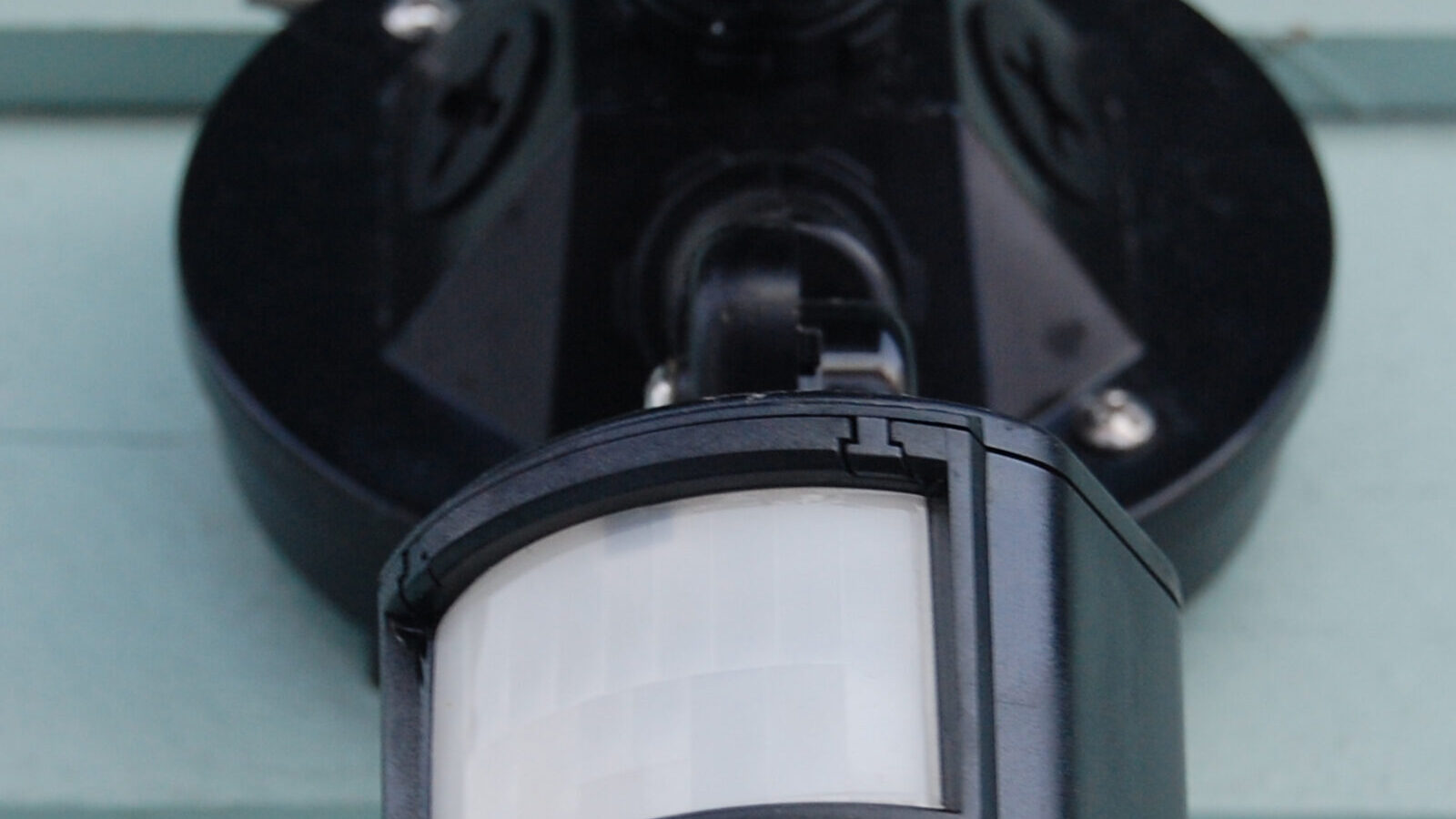
True smart lighting isn't about opening an app to turn on a light; it's about the light anticipating your needs. This is where sensors come in, transforming your lighting from 'remote-controlled' to genuinely 'automated'. Motion sensors and occupancy sensors are the eyes and ears of your smart home, enabling lighting that responds to your presence without you lifting a finger. This not only adds a huge layer of convenience but can also be a powerful tool for energy saving.
A motion sensor, like the Philips Hue Motion Sensor or the Aqara Motion Sensor, does exactly what its name suggests: it detects movement. When you walk into a room, the sensor detects your presence and sends a command to turn the lights on. You can then program it to turn the lights off after a set period of no motion being detected, say, five minutes. This is perfect for transient spaces like hallways, bathrooms, and utility rooms. No more fumbling for a switch in the dark with arms full of laundry, and no more lights being accidentally left on for hours in an empty room.
The best sensors go further than just detecting motion. They also incorporate a lux (light level) sensor. This is crucial for energy saving. The sensor can be configured to only trigger the lights if the ambient light level is below a certain threshold. On a bright, sunny afternoon, walking into the hallway won't turn the lights on unnecessarily because the sensor knows there's already enough natural light. This simple intelligence prevents wasted electricity and makes the automation feel much more natural and intuitive.
For spaces where you might be sitting still for long periods, like a living room or office, a simple motion sensor can be problematic. It might turn the lights off while you're engrossed in a book or working at your desk because you haven't moved enough. This is where occupancy sensors come in. While the term is often used interchangeably with 'motion sensor', true occupancy sensors use more advanced technology, such as mmWave radar, to detect even minute movements like breathing. This provides a much more accurate picture of whether a room is truly occupied, eliminating false 'off' triggers. While still a more niche and expensive product, we expect mmWave occupancy sensors to become much more common in mainstream ecosystems over the next few years.
Setting up sensor automation is typically done within your smart lighting brand's app. For a Philips Hue Motion Sensor (check current price), the process is simple: place the sensor, open the Hue app, go to 'Accessories', and add it. The app then walks you through assigning it to a room. You can set different behaviours for day and night. For example, in a hallway, you can set the lights to come on at 80% brightness during the day, but only at a dim 10% for gentle navigation during the night, preventing you from being blinded on a midnight trip to the bathroom. This level of granular, context-aware control is what elevates a smart house into a smart home.
The Science of Light: Health, Mood, and Circadian Rhythms
Smart lighting's most profound benefits may not be in convenience or even energy savings, but in its potential to improve our health and well-being. This is achieved by controlling two key properties of light: brightness (measured in lumens) and colour temperature (measured in Kelvin). For millennia, the only light source was the sun, which naturally changes in brightness and colour temperature throughout the day. Our bodies evolved to respond to these changes, creating a 24-hour internal clock known as the circadian rhythm.
This rhythm is regulated by the hormone melatonin. Bright, blue-toned light, like the morning sun, suppresses melatonin production, making us feel alert and awake. As the sun sets, the light becomes warmer and dimmer, triggering our brains to produce melatonin, which prepares us for sleep. The problem with traditional artificial lighting is that it's static. A standard bulb emits the same harsh, cool light at 9 PM as it does at 9 AM, which can disrupt our natural rhythms, making it harder to fall asleep and impacting the quality of our rest.
Smart lighting allows us to replicate the sun's natural cycle indoors. 'White ambiance' bulbs are specifically designed for this. They can transition smoothly from a very cool, energising bluish-white (around 6500 Kelvin, like daylight) to a very warm, relaxing orangey-white (around 2200 Kelvin, like candlelight). By setting up a 'circadian lighting' schedule, your lights can automatically adjust their colour temperature and brightness throughout the day. They can wake you gently with a slowly brightening, cool light in the morning, maintain a bright, neutral white during the day to aid concentration, and then gradually shift to a warm, dim glow in the evening to help you wind down.
Major platforms are now building this feature directly into their apps. The Philips Hue app has a 'Natural light' scene, and Apple's HomeKit has 'Adaptive Lighting', both of which automate this process for you. The health benefits are significant. Studies have shown that aligning your lighting with your circadian rhythm can lead to better sleep, improved mood, increased productivity, and reduced eye strain. It's particularly beneficial for those in the UK who experience long, dark winters, as it can help combat the effects of Seasonal Affective Disorder (SAD).
Another important metric in light quality is the Colour Rendering Index (CRI). This is a scale from 0 to 100 that measures how accurately a light source reveals the true colours of objects, with 100 being natural sunlight. Cheaper, low-quality LEDs often have a poor CRI (around 80), which can make food, clothing, and even skin tones look dull and lifeless. Premium smart bulbs from brands like Philips Hue and LIFX typically boast a CRI of 90 or above, ensuring that your home and everything in it looks vibrant and natural. When choosing bulbs, especially for kitchens and living areas, paying attention to the CRI is just as important as the brightness or colour features.
Creating the Perfect Ambience: A Guide to Scenes and Automations
The real magic of a smart lighting system is unlocked when you move beyond controlling single bulbs and start orchestrating them together through scenes and automations. A 'scene' is a snapshot of preset brightness and colour settings for a group of lights, which can be activated with a single tap or voice command. An 'automation' is a rule that triggers a scene or action based on a specific event, like the time of day, a sensor detecting motion, or your phone's location.
Step-by-Step: Creating a 'Movie Night' Scene in Amazon Alexa
Let's walk through creating a classic 'Movie Night' scene. This process is very similar for Google Home and Apple HomeKit.
1. Preparation: First, ensure all your smart lights (e.g., living room ceiling light, a floor lamp, and a lightstrip behind the TV) are added to your Alexa app and grouped into a 'Room' called 'Living Room'. 2. Open the Alexa App: Navigate to the 'Devices' tab at the bottom. 3. Create a Scene: Tap the '+' icon in the top right corner and select 'Add Scene'. 4. Name Your Scene: Call it 'Movie Night'. 5. Select Lights: Choose the lights you want to include in this scene. Let's select the living room ceiling light, the floor lamp, and the TV lightstrip. 6. Set Each Light: Now, you configure each light individually. * Select the 'Ceiling Light' and set its power to 'Off'. * Select the 'Floor Lamp', set its power to 'On', brightness to a dim '10%', and its colour to a warm orange. * Select the 'TV Lightstrip', set its power to 'On', brightness to '30%', and its colour to a deep, cinematic blue. 7. Save the Scene: Once you're happy with the settings, tap 'Save'.
Now, you can simply say, "Alexa, turn on Movie Night," and all three lights will instantly adjust to your preset configuration, transforming the room's atmosphere. You can create scenes for any activity: 'Focus' (all lights bright, cool white), 'Relax' (all lights warm and dim), 'Dinner Party' (warm light with a splash of colour), or 'Night Light' (a single lamp at 1% brightness).
Taking it Further with Automations (Routines)
Automations, called 'Routines' in the Alexa and Google Home apps, take this a step further by removing the need for a voice command. Here are some powerful automation ideas:
* Good Morning: Create a routine that triggers at 7 AM on weekdays. It slowly fades up your bedroom lights to a cool white over 15 minutes, plays your favourite morning playlist on an Echo speaker, and reads you the weather forecast. * Welcome Home: Use your phone's location (geofencing) as a trigger. When the app detects you've arrived home after sunset, a 'Welcome Home' routine can automatically turn on your hallway and living room lights to a warm, inviting glow. * Away Mode/Holiday Mode: Create a routine that simulates presence when you're away. You can have it turn different lights on and off in various rooms throughout the evening, making it appear as though someone is home, which is a powerful security deterrent. * Bedtime: A 'Goodnight' routine triggered by your voice command can turn off all the lights in the house, set your bedroom lamp to a very dim 5-minute fade-out, lock your smart door lock, and set your thermostat to a lower temperature.
Building these routines is the key to a truly hands-off, intelligent home. Start simple with one or two scenes, then gradually build up more complex automations as you get more comfortable with the system. This layer of personalisation turns a collection of smart gadgets into a responsive environment that genuinely makes your life easier and more enjoyable.
Taking it Outside: Smart Lighting for Gardens and Security
Smart lighting isn't confined to the four walls of your house. Extending it to your garden, patio, and driveway offers enormous benefits for security, safety, and aesthetics. Outdoor smart lighting can deter potential intruders, illuminate pathways to prevent trips and falls, and allow you to transform your garden into a beautiful extension of your living space on summer evenings.
When choosing outdoor lighting, the most critical factor is the IP (Ingress Protection) rating. This two-digit number indicates how well a device is protected against solids (first digit) and liquids (second digit). For outdoor use in the UK, you need to look for specific ratings:
* IP44: This is the minimum for most outdoor lights. It's protected against solid objects larger than 1mm and splashes of water from any direction. It's suitable for sheltered locations like a porch or under the eaves. * IP65: This offers 'dust tight' protection and is protected against low-pressure water jets from any direction. This is a great choice for more exposed locations, as it can withstand heavy rain. * IP67: This rating means the device is dust-tight and can be temporarily submerged in water (up to 1 metre deep for 30 minutes). This is ideal for ground-level uplighters in flowerbeds or near ponds where temporary flooding might occur.
The leading brands offer extensive outdoor ranges. The Philips Hue outdoor collection is particularly impressive, though expensive. It includes everything from the 'Lily' spotlights (£80 for a single spot) to illuminate trees, to the 'Calla' bollards (£130) for lining pathways, and a range of IP65-rated outdoor lightstrips. A more budget-friendly approach is to use a standard 'dumb' outdoor light fitting and power it with a smart outdoor plug, like the TP-Link Tapo P110 Outdoor (£20), or have it wired to an indoor smart switch.
Security is a major driver for outdoor smart lighting. Integrating your lights with a video doorbell or outdoor camera creates a powerful deterrent. For example, you can create a routine where if your Ring doorbell detects motion on the driveway after 10 PM, it instantly turns the outdoor floodlights on to 100% brightness. This sudden, bright illumination is often enough to scare off a potential burglar and ensures your camera gets a clear, well-lit recording of the event.
Beyond security, outdoor smart lighting allows for stunning aesthetic control. You can create scenes for 'Summer BBQ' that cast a warm, inviting glow over your patio, or 'Garden Party' with splashes of colour highlighting your favourite plants and features. You can automate the lights to turn on at sunset and off at sunrise, ensuring your garden is always beautifully and efficiently lit. Just like indoors, the combination of scheduling, sensor triggers, and creative scene-setting can completely transform your outdoor spaces.
A Practical UK Installation Guide: Fittings, Wiring, and Safety
While screwing in a smart bulb is simple, understanding the nuances of UK fittings and wiring is crucial for a smooth and safe installation, especially if you venture into smart switches or more complex fittings. The UK has its own standards that differ from those in the US and mainland Europe.
Bulb Fittings: B22 vs. E27
In the UK, you'll almost exclusively encounter two main types of fittings for standard ceiling lights and lamps:
* B22 (Bayonet Cap): This is the classic British fitting, with a 'push and twist' action. It has a 22mm diameter base with two protruding pins that lock into L-shaped slots in the holder. * E27 (Edison Screw): This is the screw-in type, common across Europe. It has a 27mm diameter threaded base. While historically less common in UK ceiling pendants, it's now very prevalent, especially in newer homes and imported light fittings.
Before you buy any smart bulbs, it is absolutely essential to check which fittings you have. The easiest way is to remove an existing bulb and look at its base. Most smart bulb models, from Hue to Tapo, are available in both B22 and E27 versions, but you need to order the correct one. For other fittings, like GU10 spotlights (common in kitchens and bathrooms) and E14 screw-in 'candle' bulbs (for chandeliers and small lamps), you'll also find smart versions available from most major brands.
A Word on UK Wiring and Smart Switches
Disclaimer: Working with mains electricity is dangerous. If you are not 100% confident, always hire a qualified electrician. This advice is for informational purposes only.
Installing a smart switch requires replacing your existing wall switch. In the UK, a major hurdle for many smart switches is the lack of a 'neutral' wire at the switch location. Traditional UK lighting circuits send the live wire to the switch, which then sends a 'switched live' wire up to the light fitting. The neutral wire, which completes the circuit, runs directly to the light fitting, bypassing the switch entirely.
The problem is that a smart switch is an electronic device and needs a constant, small amount of power to stay connected to your network. It needs both a live and a neutral wire to do this. Many older UK homes do not have a neutral wire present in the back box behind the light switch. This leads to two categories of smart switches:
* 'Neutral Required' Switches: These are the most reliable and common type. If you have modern wiring and a neutral wire is available at the switch, these are the best option. * 'No Neutral Required' Switches: These are designed for older UK wiring. They work by passing a tiny, constant electrical current through the light fitting itself to power the switch. This can sometimes cause issues, especially with low-load LED bulbs, leading to flickering or a faint glow even when 'off'. While they solve a common problem, they can be less reliable than their neutral-required counterparts. Brands like Lightwave specialise in these types of switches for the UK market.
Before purchasing a smart switch, you must turn off the power at your consumer unit (fuse box) and safely inspect the wiring behind your existing switch to see if a neutral wire (typically blue, but could be black in older installations) is present.
The Real Cost & Savings: Halogen vs. LED vs. Smart LED
One of the most compelling reasons to upgrade your lighting is the promise of lower energy bills. But how much can you *really* save? To quantify this, the MyGadgetDad team has created a detailed 10-year cost projection for a single, heavily used light bulb (e.g., in a living room), on for an average of 5 hours per day. We'll compare a traditional halogen bulb, a standard 'dumb' LED, and a smart LED, factoring in the initial purchase price and energy consumption.
Assumptions: * Electricity Cost: 28p per kilowatt-hour (kWh), a typical 2024/2025 UK price cap rate. * Daily Usage: 5 hours. * Annual Usage: 1,825 hours (5 hours x 365 days).
| Feature | 50W Halogen Bulb | 8W 'Dumb' LED Bulb | 8W Smart LED Bulb |
|---|---|---|---|
| Equivalent Brightness | ~700 lumens | ~800 lumens | ~800 lumens |
| Wattage | 50W | 8W | 8W (plus ~0.4W standby) |
| Average Lifespan | 2,000 hours | 15,000 hours | 25,000 hours |
| Average Purchase Price | £2 | £3 | £15 (e.g., Tapo) |
| Annual Energy Use | 91.25 kWh | 14.6 kWh | 14.6 kWh + 3.5 kWh standby = 18.1 kWh |
| Annual Energy Cost | £25.55 | £4.09 | £5.07 |
| Replacements in 10 Yrs | ~9 bulbs | ~1 bulb | ~0 bulbs |
| 10-Year Bulb Cost | £18 | £3 | £15 |
| 10-Year Energy Cost | £255.50 | £40.90 | £50.70 |
| TOTAL 10-YEAR COST | £273.50 | £43.90 | £65.70 |
The numbers are stark. Simply switching from an old halogen bulb to a basic, non-smart LED offers significant savings over a decade on a single bulb. That's a phenomenal return on a small investment. Now, what about the smart bulb? Its 10-year cost may be slightly higher than the dumb LED, primarily due to its higher initial purchase price and the tiny amount of standby power it consumes. So, purely from an energy-saving perspective, a dumb LED can be the absolute winner, though savings depend on your home, tariff and usage.
However, this calculation doesn't tell the whole story. The £22 'premium' for the smart bulb over ten years (just £2.20 per year) buys you all the features we've discussed: voice control, scheduling, colour changes, security features, and circadian rhythms. Crucially, it also unlocks further savings that are harder to quantify. The smart bulb will never be left on in an empty room because a motion sensor turned it off. It will be dimmed to 50% in the evenings, using half the power. It will be part of a 'goodbye' routine that ensures every light is off when you leave the house. When you factor in these behavioural and automated savings, the smart LED's real-world energy consumption is often *lower* than a standard LED that is frequently left on at 100% brightness by mistake. The smart features don't just add convenience; they actively manage and reduce your energy consumption in ways a dumb bulb never can.
Conclusion: A Brighter, Smarter Future for Your Home
We've journeyed from the basic science of the LED to the complex choreography of whole-home automation. It's clear that smart lighting in 2026 is a mature, accessible, and powerful technology that offers far more than just novelty. It provides tangible benefits in energy efficiency, security, convenience, and even our physical and mental well-being.
The path you choose will depend on your budget, your home, and your ambitions. For the cautious beginner, a simple and affordable Wi-Fi bulb from TP-Link Tapo is a fantastic, low-risk entry point. For the homeowner who wants the most reliable, expansive, and feature-rich ecosystem, Philips Hue remains the gold standard, its hub-based Zigbee architecture proving its worth in demanding situations. For those somewhere in between, brands like LIFX offer stunning light quality, while Innr provides a savvy way to expand a high-end system on a budget. And on the horizon, Thread and Matter promise a future of even greater interoperability, breaking down the walls between brands.
Remember the core principles. Understand the protocols before you buy. Decide on the smart bulb vs. smart switch debate based on your need for colour and intuitive control. Don't underestimate the transformative power of sensors for true automation. And embrace the science of light to create a healthier, more comfortable living environment. The initial investment, as we've calculated, is quickly offset by significant energy savings, and the smart features add a layer of intelligence that actively works to reduce waste. We hope this comprehensive guide from MyGadgetDad has illuminated the path forward, empowering you to make informed decisions and build a smart lighting system that will enhance your home for years to come.
Related MyGadgetDad Guides
Smart lighting is just one piece of the energy-saving puzzle. Explore these related guides to build a complete efficient home:
Home Energy Savings Hub — The complete overview of all five pillars, with a prioritised plan for maximum savings.
Power Management Guide — Smart plugs and power strips complement your lighting automation by eliminating phantom power from other devices.
Solar & Outdoor Power Guide — Power your smart lighting with free solar energy and discover outdoor solar lighting solutions.
Frequently Asked Questions
Keep reading
Best Smart Light Bulbs UK: 4 Top Picks [2026]
Running costs in pence per year, brightness compared and the UK picks worth buying.
Read the guideBest Smart Plugs UK [2026]
Metering plugs that expose standby drain and real running costs.
Read the guideBest Home Energy Monitors UK [2026]
See which circuits actually cost you money before you buy anything.
Read the guide